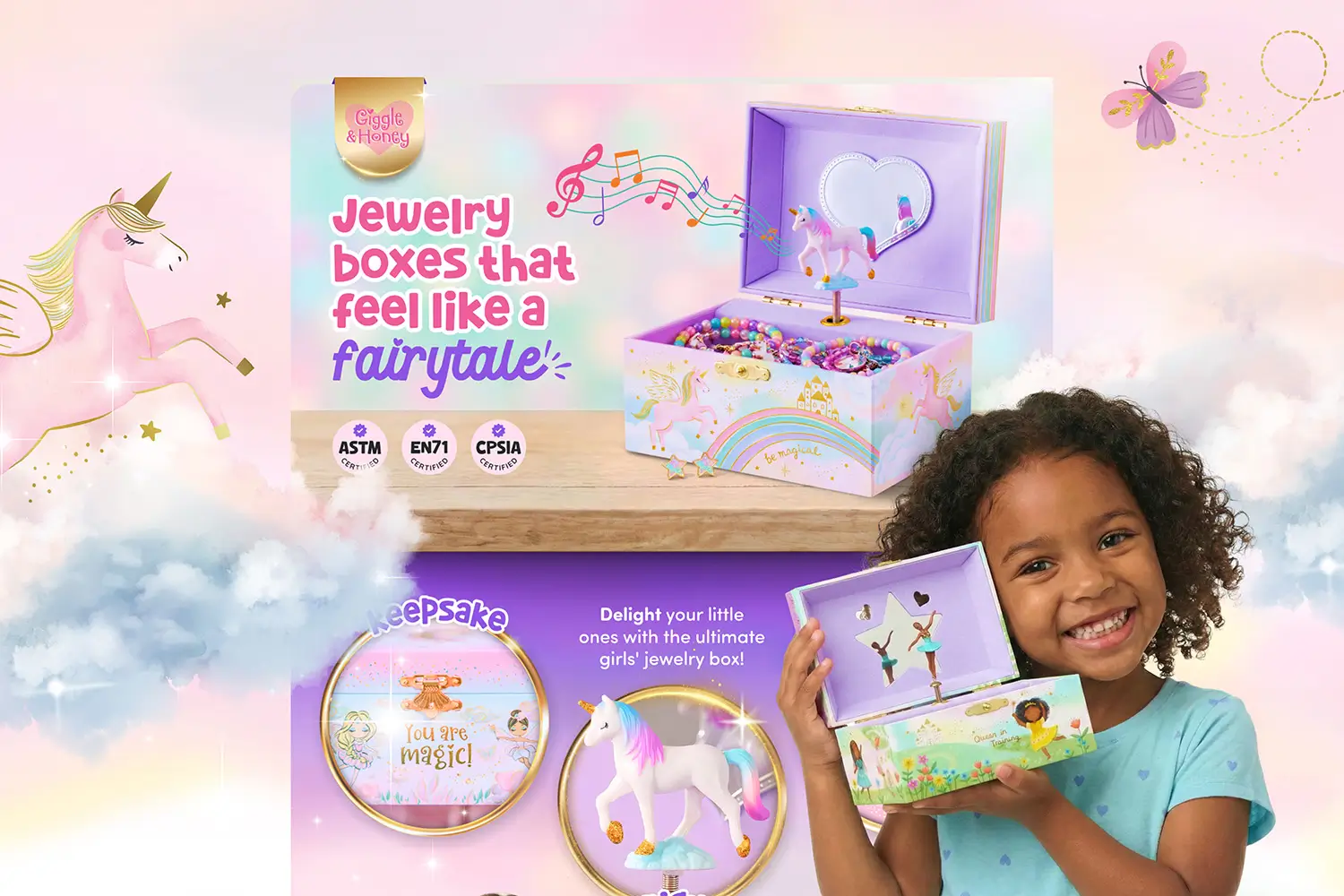



You open Seller Central and something catches your eye. Premium A+ Content, right there, unlocked and waiting. Some of you have been eyeing this for a while. Some of you have no idea what it even is. But now you have access and the question is the same either way: what exactly are you supposed to do with it?
As of May 2026, Amazon made Premium A+ Content available to all Brand Registered sellers by default. No more Brand Story requirement. No more waiting on 5 approved submissions. For a long time this tool stayed out of reach for smaller brands, either because they did not know the path to eligibility or simply did not have the bandwidth to get there. That gate is gone now.
But here is the thing. Access was never the hard part. Knowing what to do with it is. As the saying goes, with great power comes great responsibility.
What Is Amazon Premium A+ Content?
If you are newer to selling on Amazon, you might be opening Seller Central right now and seeing two options side by side and wondering what the difference actually is.
Standard A+ Content is the baseline. It gives Brand Registered sellers a set of modules to add imagery, text, and basic comparison charts below the product description. Most sellers have seen it, even if they did not know what it was called.
Premium A+ Content is the upgraded version. It gives you access to a wider canvas, more advanced module types including video carousels, hotspot images, full-width hero banners, and enhanced comparison charts, and a more immersive overall experience for the shopper. If you want the full breakdown, I covered the differences in detail in Amazon A+ Content vs Premium A+ Content: Why Brands Upgrade to Premium A+.
The short version: Premium A+ gives you more real estate and more tools. Which also means more ways to get it wrong.
What Changed With Amazon Premium A+ Content Access
As of May 2026, Amazon rolled out Premium A+ Content as a default feature for Brand Registered sellers. The update removes the previous approval requirements that previously kept a lot of brands waiting. According to My Amazon Guy, the change was confirmed through Seller Central notifications on May 21, 2026.
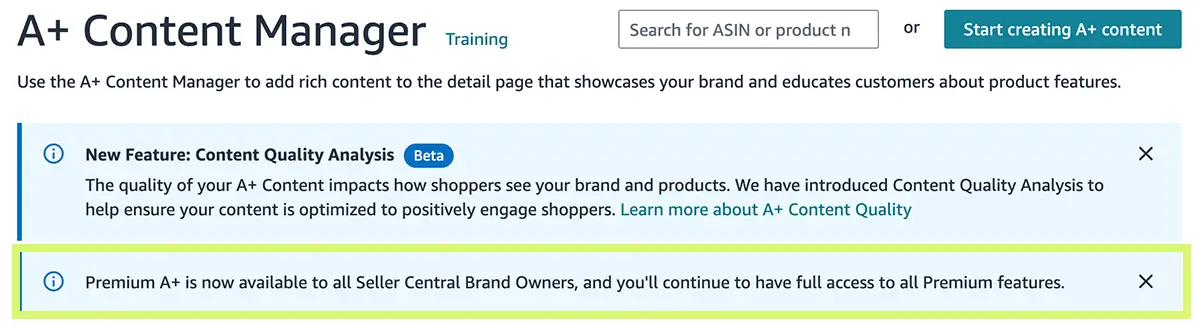
Amazon's own data says Premium A+ Content can increase sales by up to 20%. That number gets passed around a lot. What gets talked about less is how much bad Premium A+ content is about to flood the platform now that everyone has access.
Do You Still Need a Brand Story for Amazon Premium A+ Content?

Not to access it, no. But you should still have one.
Think of your detail page as real estate. The Brand Story module sits in its own dedicated space on the page. If you use it well, it frees up your Premium A+ area to focus entirely on product information, benefits, and conversion. You are not cramming your brand narrative in between product features. Everything has its own lane.
A Brand Story that tells shoppers who you are and why you exist, a Premium A+ section that makes the case for why this specific product is worth buying. That is a detail page that works harder at every scroll point.
Amazon is just removing the gatekeeping. The strategy behind using both together has not changed.
The Biggest Amazon Premium A+ Content Mistake I See
Most brands are going to do the same thing: open up Seller Central, start dropping modules in, and call it done.
I see this all the time. Random image blocks stacked on top of each other with no connection between them. Blurry images that were not sized for the wider Premium canvas. Mobile that looks like an afterthought. Modules that repeat exactly what is already in the listing images instead of expanding on it.
The result is a page that feels pieced together. And on Amazon, where a shopper is deciding in seconds whether to trust you or scroll past, pieced together is the same as invisible.
I wrote about the most common design problems in 5 Mistakes to Avoid When Designing Amazon Premium A+ Content if you want to go deeper on what to watch out for.
How to Design Amazon Premium A+ Content That Actually Works
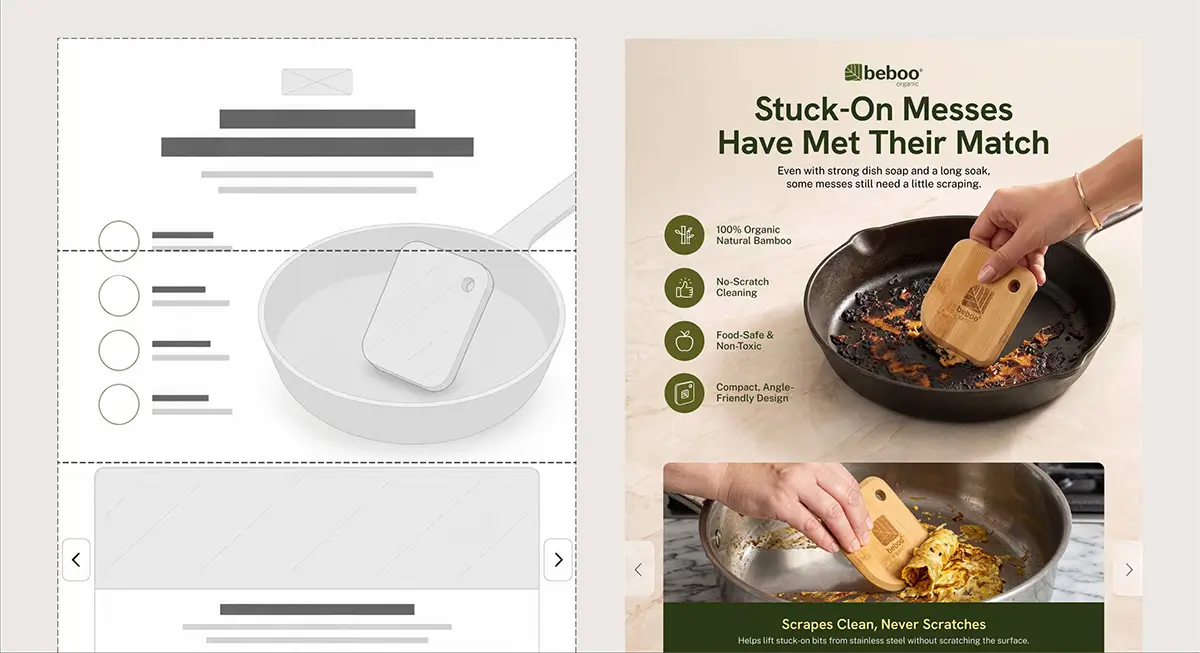
Before I open a single module in Seller Central, I am in Figma. The entire layout lives on one artboard first, every section planned, every visual transition considered, every content decision made before anything gets built.
That is not how most people approach it. Most people design inside the tool, which means they are reacting to the interface instead of leading with a creative direction. The difference shows.
Here is what I am thinking through before a single pixel gets placed:
What story does this brand need to tell?
Premium A+ is real estate. More than standard A+. The question is not what you can fit. It is what the shopper needs to understand to feel confident buying.
What should and should not be repeated?
Your product images are usually where the nitty gritty lives, sizing, what is in the box, dimensions, materials. That information belongs there. Your Premium A+ area is where you expand on what you could not fully explore above. If there is a benefit you touched on but did not dig into, this is the space for it. If there is a story behind the product that the images could not tell, tell it here. You can revisit certain points if you are adding depth, but if you are just restating the same information with no new angle, that is real estate wasted.
For more on how the full detail page fits together, How to Optimize Your Amazon Detail Page for Maximum Sales is a good starting point.
What does this brand actually look like?
A lot of brands come to me with a product, a logo, and not much else. Part of my job is figuring out the visual direction before any design starts, the color story, the tone, the feel. That is extra work, but it is the work that makes the difference between A+ content that looks like everyone else's and A+ content that stops someone mid-scroll.
How does it flow?
Premium A+ is not a collection of modules. It is one continuous experience. Each section should lead naturally into the next. When it works, a shopper does not notice the individual modules. They just feel pulled through the page.
Why Premium A+ Content Design Matters More Now Than Ever
Here is the reality for a lot of brands selling on Amazon right now. You are probably competing against cheaper products, maybe from overseas sellers who can move fast and price low. If your product is better, better quality, better materials, better value, your listing has to communicate that clearly. Because if it does not, the shopper has no reason to pay more.
Good Premium A+ content is not decoration. It is your argument for why your product is worth choosing. A listing that looks thrown together undercuts that argument before the shopper even reads a word.
Access to Premium A+ just became equal. Execution is where brands will separate.
Frequently Asked Questions
What is Amazon Premium A+ Content?
Premium A+ Content is an enhanced version of standard A+ Content that gives brand owners access to additional module types including video carousels, hotspot images, full-width hero banners, and richer comparison charts. It displays at a wider width than standard A+ and is designed to create a more immersive product detail page experience.
Who can use Amazon Premium A+ Content now?
As of May 2026, Amazon has made Premium A+ Content available to all Brand Registered sellers by default. The previous requirements, including a published Brand Story and 5 approved A+ submissions, have been removed.
Does Premium A+ Content actually increase sales?
Amazon states that Premium A+ Content can increase sales by up to 20%. Results depend heavily on the quality of the content. Well-designed Premium A+ that tells a clear brand story and expands on product benefits will perform. Content that is thrown together without a strategy will not.
What is the difference between standard A+ Content and Premium A+ Content?
Standard A+ Content gives sellers access to a core set of modules for text and imagery. Premium A+ Content adds advanced module types like video, hotspot interactivity, and full-width visuals, and displays at a wider canvas size. Premium also tends to push competitor comparison widgets further down the page. For a full side-by-side breakdown, see Amazon A+ Content vs Premium A+ Content.
Do I need a designer for Amazon Premium A+ Content?
You do not need one, but the brands that treat it as a DIY task usually end up with content that looks like it. Premium A+ has more real estate and more module options, which means there are more ways to get it wrong. A designer who plans the layout strategically before building in Seller Central will produce a very different result than someone dropping in modules on the fly. If you want to see what that looks like in practice, browse my Amazon design examples.
What should Amazon Premium A+ Content include?
Every listing is different, but strong Premium A+ Content typically expands on the product's key benefits with supporting visuals, tells the brand story in a way that builds trust, uses imagery that is sized correctly for the wider canvas, and flows as one continuous experience rather than a stack of disconnected modules.