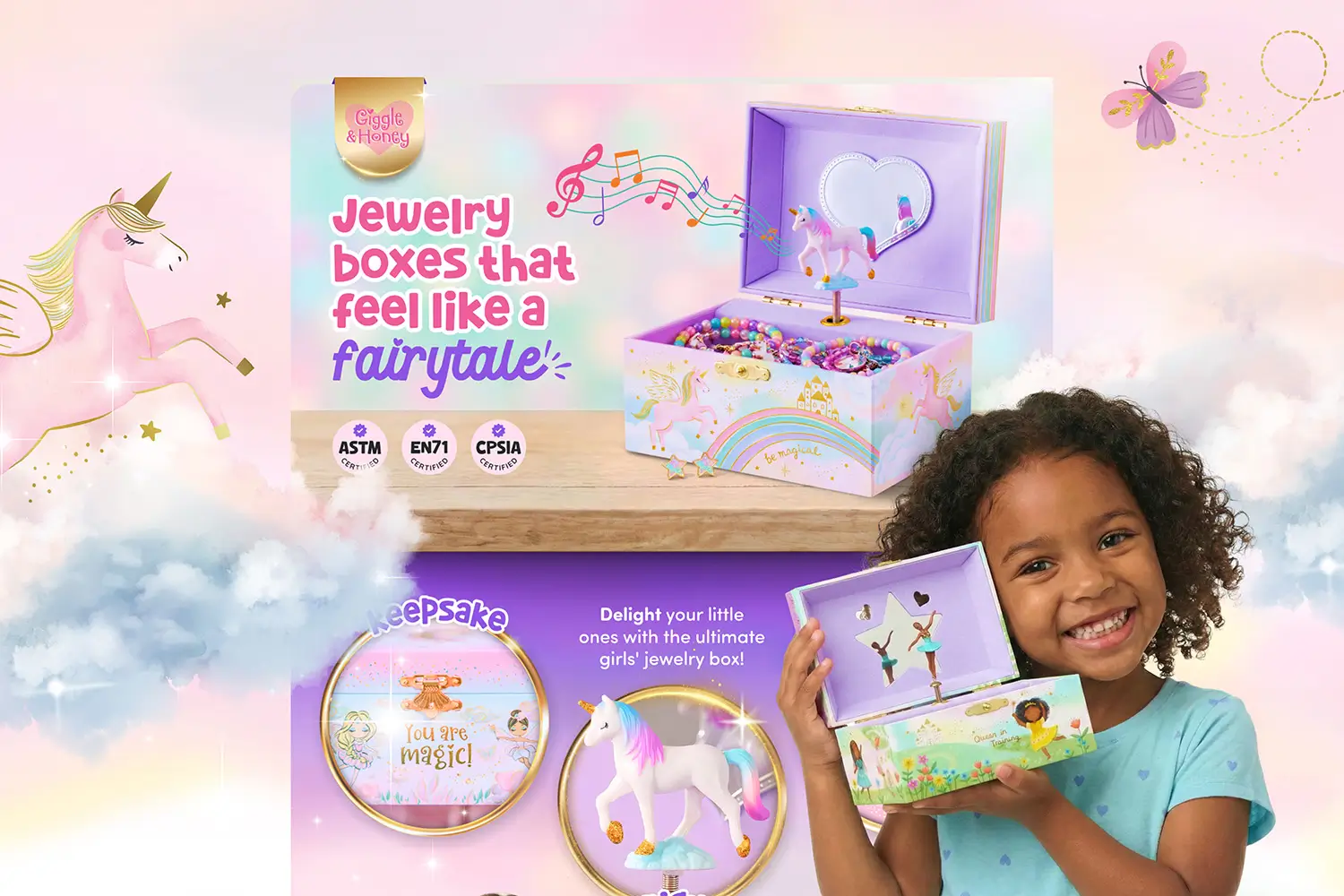



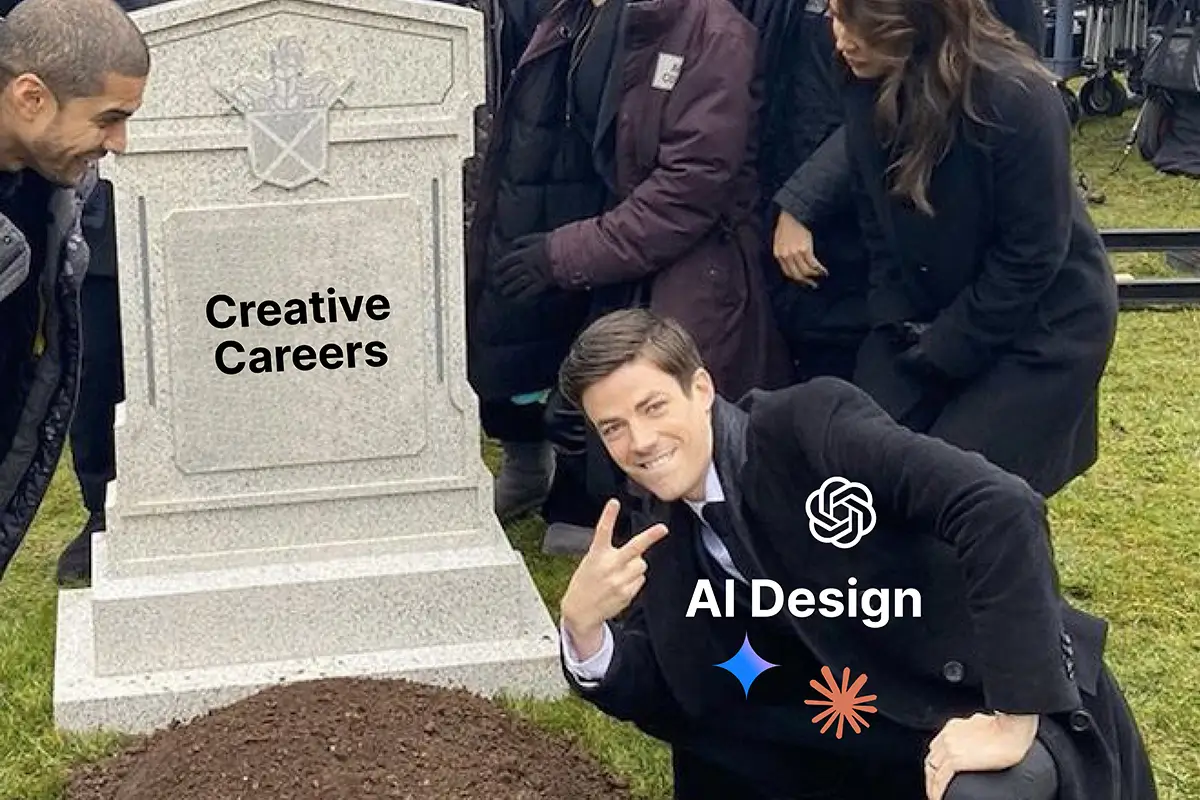
Let me be upfront about something. When AI image generation started getting really good, it felt like another 'Video Killed the Radio Star' moment. Suddenly the internet was full of takes saying designers were dead, creatives were doomed, game over.
I felt that too.
I’ve been doing design for over 16 years. I know what makes an Amazon listing work. I know what converts. Then tools showed up promising to do in seconds what people like me spent years learning.
I’m a millennial, so surviving pandemics, industry shifts, economic chaos, and what feels like a once-in-a-generation crisis every few years is basically part of the job description.
So instead of panicking or pretending AI didn’t matter, I learned it. Tested it. Figured out where it actually helps in my workflow, how it can benefit me, and how it can make what I offer even more valuable.
Because video didn’t kill the radio star. It changed the format. The people who knew the craft still found a place.
That’s how I see AI now.
Design Has Always Had its “Everything is Going to Change” Moment
I didn’t personally live through every seismic shift in the design industry but I’ve watched enough of them happen in real time to know the pattern. The technology changes. The prediction is always the same. And the outcome is always more nuanced than the prediction.

Design Disruptions That Were Supposed to End Everything
1. Desktop publishing (late 80s/90s). PageMaker and early layout tools meant “anyone” could design. The designers who adapted learned to use the tools and moved into higher-level creative work. The ones who resisted got pushed out by people who did.
2. Stock photography. Killed a big chunk of the custom illustration market. Then Unsplash made high quality photography free entirely. The response from smart creatives was to offer what stock couldn’t: brand specificity, creative direction, and custom concepts.
3. Website builders. Squarespace, Wix, Webflow. “No designer needed.” Anyone who’s worked with a brand that DIY’d their site knows how that usually turns out. The tools lowered the floor. They did not raise the ceiling.
4. Canva. Put drag-and-drop design in every small business owner’s hands. Hurt the low end of the market badly. But brands that needed real strategy, real brand consistency, and real design judgment still needed a designer.
5. AI image generation. Current chapter. Same pattern, but I’ll admit this one feels different. Darker somehow. Almost like Terminator was less a movie and more a prophecy (James Cameron did say the idea came to him in a dream). But I’ll take the tinfoil hat off before this blog goes off the rails.
Every single time, the commodity work shifted away. Every single time, the designers who adapted moved up instead of out. That’s the pattern I see again now. AI isn’t replacing my role, it’s expanding it, letting me wear more hats like photographer, 3D artist, copywriter, strategist, researcher, and designer all at once.
How I Use AI Image Generation in My Amazon Listing Design Workflow
Let me be specific about this because "I use AI" means nothing without context.
Strategy and Research
Before a single design element is placed, AI helps me understand the buyer. I use Claude for research, digging into customer reviews, surfacing pain points, and understanding what buyers are actually saying about a product category. That intelligence shapes everything:
- Who is actually buying the product and what drives each buyer type
- Real hesitations pulled from reviews: price, skepticism, past bad experiences
- What customers love versus what they just tolerate
- The competing product, ingredient, or experience they are trying to escape
- How to position the USP visually against the competition
This is the part most people skip. The design only works if the strategy behind it is right.
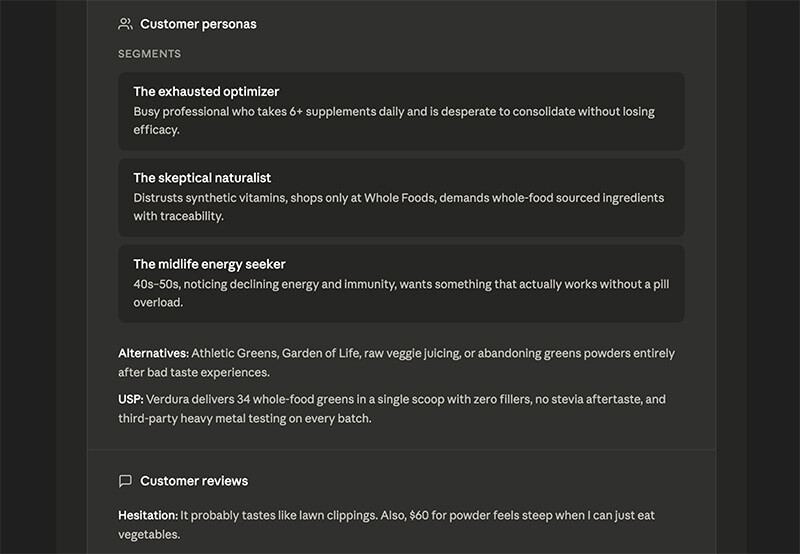
Image Creation
For imagery I use Google Gemini. But the plan you're on matters more than most people realize. The results on the Ultra plan are noticeably better and here's why it's worth it:
- No watermarks on generated images
- Higher image quality and better handling of complex prompts
- Access to image types that lower tiers restrict or block entirely
- Higher output limits so you're not hitting a wall mid-project
- On lower plans, if demand is high you may not be able to generate images at all
It's not cheap. But if you're using AI imagery seriously for Amazon listings, the free or basic tier will frustrate you fast. Ultra is where the tool actually performs.
And even on Ultra, it takes a lot of prompting to get where you want to go. You iterate. You refine. You learn the language it responds to. It's a skill, not a shortcut.

Where AI Imagery Actually Works for Amazon Listings
Lifestyle imagery using AI is where it's at. Generating background scenes, environmental contexts, studio-style renders for products that don't have a full photography library. This is where AI has genuinely changed what's possible without a photoshoot budget.
But there are things you need to pay close attention to before using AI imagery in a listing.
Where AI Imagery Works Well
These are the use cases where AI genuinely earns its place in a listing workflow.
Lifestyle Backgrounds & Environmental Scenes
Place your product in polished, real-world settings that add context, mood, and everyday appeal without booking a photoshoot.

Studio-Style Renders from a High-Res Product Photo
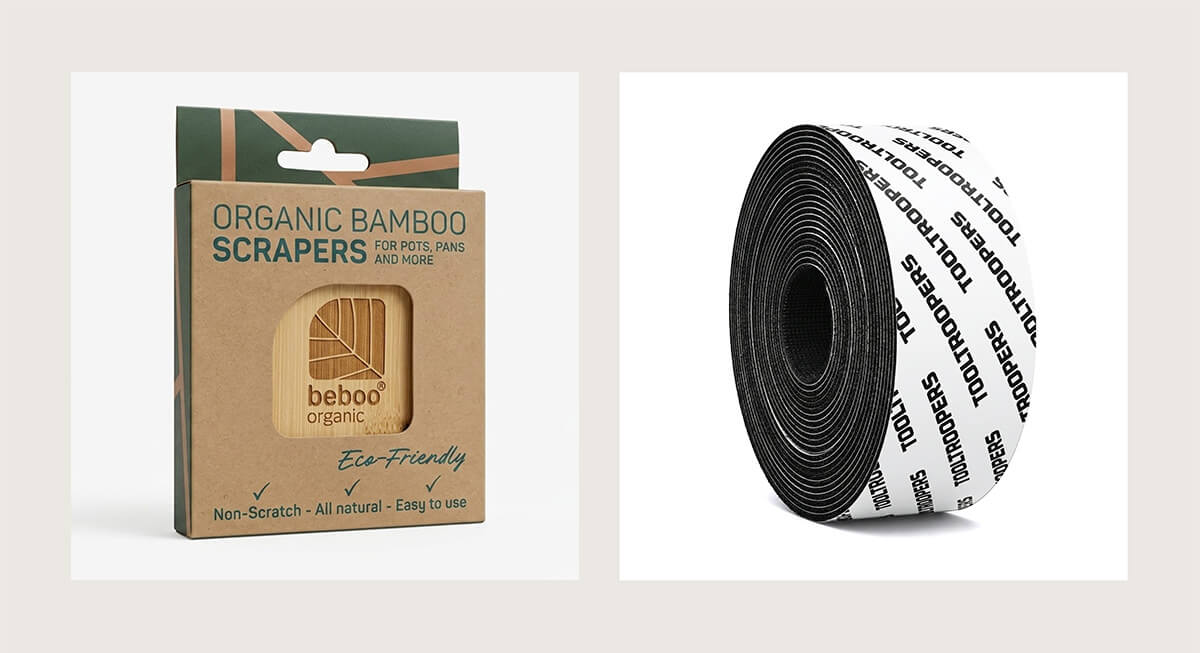
Turn a strong product photo into clean studio-style visuals with refined lighting, angles, and premium presentation.
Creative & Conceptual Scenes
Bring bold ideas to life with visuals that would be expensive, complex, or nearly impossible to capture in a traditional shoot.
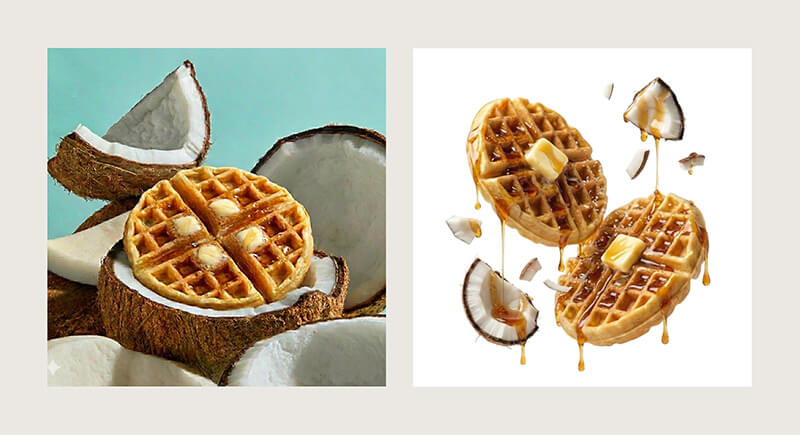
What to Watch Closely When Using AI for Amazon Images
AI gets a lot right, but these are the areas that need a close eye before anything goes live on a listing.
Text and Labels
AI garbles letterforms, distorts packaging copy, and invents details that aren't there. Always verify anything with text on it.
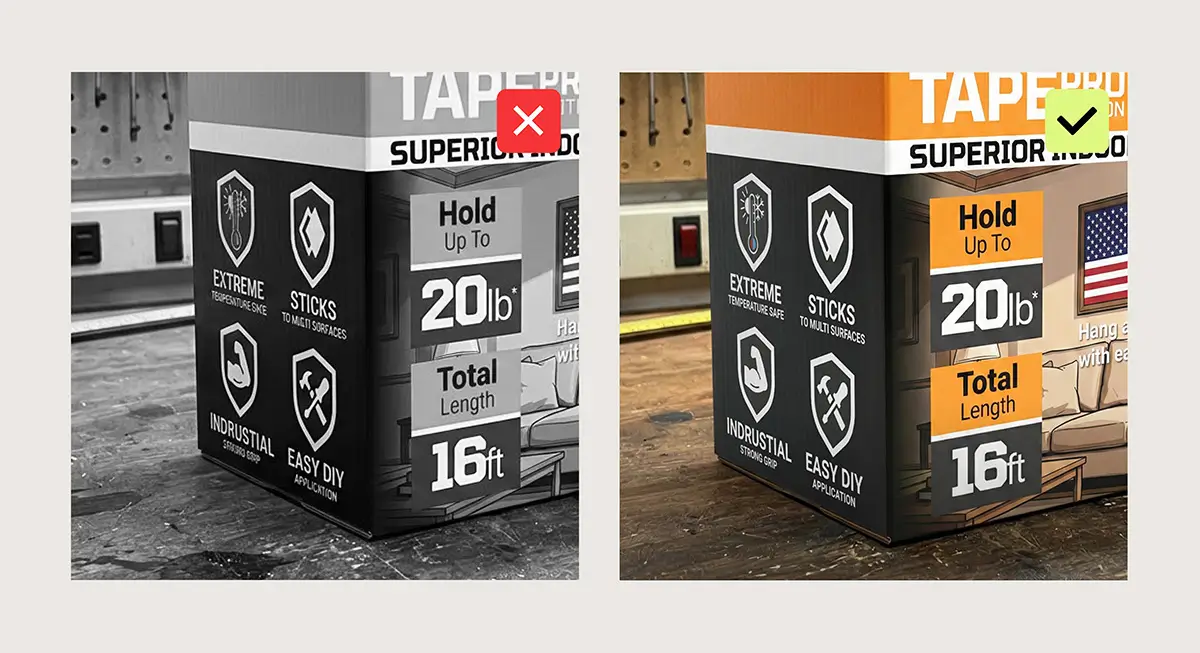
Dimensions and Sizing
AI has no real understanding of how big your product is. Scale can be off in ways that mislead a buyer.

Textures and Patterns
Fabric, grain, weave, print patterns. AI approximates these and the result doesn't always match the real product.

Image Degradation
I’ve found that specifically with Gemini, the more you try to edit a generated image, the more the quality tends to drop each time. Usually, you need to start a brand-new conversation to get a crisper result. The original image from the first prompt is almost always the best quality.

The Accuracy Issue Matters More on Amazon Than Anywhere Else
The sweet spot is combining AI with Photoshop. AI creates the setting, the lifestyle scene, the background, realistic lighting and shadows included.
Photoshop is where the real product photography gets composited in, accurate text is imposed, colors are corrected, and everything is cleaned up to match what the customer will actually receive. Neither tool alone gets you there. Together they do.
The Auto-Generated Infographic Tools: Useful With a Ceiling
There are platforms now where you can paste in your ASIN, describe your brand, and generate Amazon visuals in minutes. For newer sellers with a tight budget who need something live quickly, they can be a strong starting point.
Some of the output is genuinely solid right now, but where these tools shine most depends on the asset type.
AI for Amazon Listing Images

Amazon listing images are where many of these tools currently perform best.
They can help create infographic-style product images using your existing listing details, including feature callouts, dimensions, comparison layouts, what's included, and simple lifestyle scenes. For sellers who need Amazon product images fast, this can be a practical option.
Where the Ceiling Shows
The limitation is usually not whether an image gets made. It is whether the image helps convert.
Typography, spacing, hierarchy, product focus, and knowing which benefit should lead all play a major role in conversion rate optimization. Strong Amazon listing images are built around buyer psychology, not just available features.
Many AI-generated results still feel templated. The layout may look fine at first glance, but often lacks the sharper thinking that helps a product listing compete in crowded search results.
AI for Amazon Premium A+ Content
Amazon Premium A+ Content is where current tools still have the most limitations.
Premium A+ Content gives brands access to larger visual modules, video, hotspots, interactive elements, carousels, and richer storytelling opportunities. It functions more like a custom ecommerce landing page inside Amazon.
This is where custom Amazon design still matters most. Brands need cohesive layouts, stronger visual flow, polished branding, and a structure that works across desktop and mobile.
AI can help create assets or speed up production, but it is not fully replacing strategic Premium A+ Content design yet.
How to Prompt AI for Amazon Product Image Design That’s Actually Usable
Getting usable output from AI image generators for Amazon work is a skill. Vague prompts produce vague, generic results. Here is what I’ve found works consistently.
6 Prompting Rules for Amazon Listing Images
1. Be specific about lighting
Skip vague words like “bright” or “clean.” Use clear direction such as soft diffused studio light from the left or warm natural window light. AI responds better to precise lighting instructions.
2. Describe the setting with real details
Give the model something tangible to build from. Example: light stone countertop, blurred kitchen background, shallow depth of field. Concrete details work better than broad words like premium or modern.
3. Add scale and proportions
AI can misjudge product size. Include reference points like a hand, plate, laptop, countertop edge, or shelf space so the product feels believable in the scene.
4. Say what you do not want
Negative prompts help reduce bad outputs. Try instructions like no people, no extra products, no text, no clutter, no distorted shapes, no busy background.
5. Match the image format to Amazon use
Create with the final crop in mind. Amazon listing images are often square, while A+ modules use wider formats. Starting with the right ratio saves time and preserves composition.
6. Plan to edit the final image
AI output is rarely ready as-is. Expect to refine colors, clean edges, fix small errors, improve shadows, and place the real product photo when needed. AI speeds up the process, but polishing still matters.
If the Budget is There, Real Photography Still Wins

AI imagery has come a long way. But nothing replaces a real product photo when it comes to accuracy, material quality, and building genuine purchase confidence with a buyer.
If you have the budget for professional product photography, use it. And one platform worth knowing about specifically for Amazon sellers is Soona.
Soona is a virtual product photography studio built for ecommerce. You ship your product to one of their studios, direct the shoot live from your computer, and only pay for the images you actually want. Photos start at $39 per image with editing included. Turnaround is fast, with an average spend of around $750 and results back within 24 hours. Compare that to a traditional agency shoot which can run $20k with a four month turnaround.
They specialize in Amazon-compliant imagery, white background main images, lifestyle shots, and they know the platform requirements. For sellers who need real photography without the overhead of a full studio production, it's a smart option.
AI is a useful tool when the photography budget isn't there. But when it is, invest in the real thing. Your listing will show the difference.
The Human Touch Isn't Going Anywhere
Am I afraid of what comes next? Sure. Who isn't.
But here’s what I keep coming back to. As AI-generated content becomes more common, the real skill won’t just be making images, it will be knowing how to guide the tools to create the right ones. Strong prompts, smart art direction, clean edits, brand consistency, and knowing when something still needs work.
Anyone can generate options. Fewer people can turn those options into assets that actually sell. That’s where the value starts to move.
The tools will keep changing, but someone still has to direct them, refine the output, and make it fit the brand, customer, and marketplace.